


Michaels Stores
3.423.50K Reviews
App Specs
- Version
- 26.8.2
- Updated On
- License
- Free
- Downloads
- 5,000,000+
- Developer
- Michaels
- Categories
- Lifestyle
- Platform
- Android, iOS
Screenshots

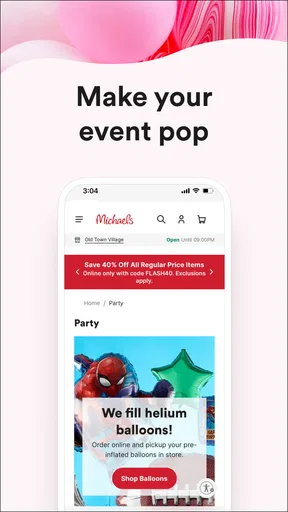
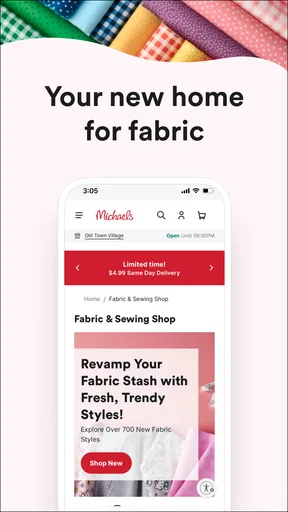
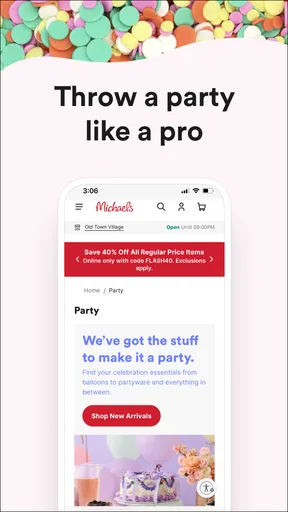

 Analysis by AppCompare
I see the Michaels Stores app as most useful when a craft project has moved from “I might try this” to “what do I need, and where can I get it?” Its mix of shopping, project inspiration and store-related tools gives creative plans a practical next step. I would not treat it as a general-purpose design app, though: its value is strongest when you already want to browse Michaels products or make use of the retailer’s services.
Reading the app when you have a specific task
For a beginner, a broad craft store can feel like a wall of unfamiliar materials. The category browsing and project supply lists offer two different ways in: start with a material you recognize, or start with an idea and work backward to the materials. I’d use the second route when I want to try a technique but don’t yet know the names of all the tools involved. It can turn vague inspiration into a shopping plan without requiring me to search every item one by one.
If I already know exactly what I need, search is the more direct route. A useful habit is to search for the specific material or tool first, then compare that result with the project’s supply list before adding anything. That small check can help avoid buying a duplicate or overlooking a basic item. The app’s emphasis on deals may be welcome, but I’d keep the project requirements in view rather than letting a promotion decide what belongs in my basket.
Comfort, pace and different ways of browsing
Craft shopping often involves comparing small differences: shades, finishes, sizes or types of material. On a phone, that kind of browsing can take patience, especially if I’m switching between inspiration and product pages. I find it more manageable to browse with one decision in mind at a time—choose a project, identify its essential supplies, then look for alternatives only where I need them. That keeps the process calmer than opening a long chain of unrelated categories.
The app also combines several kinds of content, from promotions and products to project guidance and classes. That variety is useful, but it means the best route depends on what I’m trying to do. Someone who wants quiet, focused planning may prefer to begin with a project or a known item rather than the promotional homepage. If visual browsing feels tiring, a specific search can reduce the number of screens and choices involved.
When a phone helps—and when it gets in the way
I can imagine using the app before a store visit to check a project list, then opening the barcode scanner while looking at an item in person. That is a practical bridge between online planning and physical shopping: I can investigate an item where I find it instead of trying to remember its name later. In-store pickup can also suit a tight schedule when I want to arrange a purchase on my phone and collect the supplies rather than browse every aisle.
There are times when the phone is not the easiest tool. If I need to compare many colors or textures in person, a screen cannot replace seeing the materials directly. And if I’m following instructions while working with both hands, repeatedly checking a phone can interrupt the activity. I’d review the steps and gather supplies before starting, rather than relying on constant screen use mid-project.
Worth Reading Before You Choose

EA SPORTS FC Mobile 26 Is a Bigger Football Game, but It Takes Time

Flipboard Shows What News Apps Must Do Beyond the Feed

Switching to Android Auto Means Rethinking Your Driving Routine

Google Calendar Makes a Crowded Week Easier to Manage

Ludo King Makes the Most of the Minutes Between Plans

Baby Panda World Brings Quick Play to Modern Phones, but Its Game Library Feels Busy
What to weigh before making it your craft companion
The app is a sensible choice for people who shop at Michaels, want project prompts tied to supplies, or like keeping rewards and shopping tasks together. It is less compelling if I only need open-ended craft inspiration, already shop elsewhere, or want a dedicated tool for designing patterns and managing a complex project. A general image-sharing service can offer a wider mix of ideas; a specialist craft resource may be better for detailed technique instruction. The Michaels app’s particular strength is connecting inspiration to a retailer’s products and shopping options.
It is free, developed by Michaels, and sits in the lifestyle category. Its average rating is 3.5 from around 70,000 ratings, with about 23,000 written reviews and more than 5 million installs. It is marked for everyone, and version 26.5.2 requires Android 7.0 or later. Those figures suggest a widely used shopping companion, though the rating also reminds me that a useful concept does not guarantee a smooth experience for every shopper.
One practical trade-off is that a project list is a starting point, not a promise that every listed item is the only suitable choice. For a child’s activity, a classroom craft or a shared family project, I’d check the materials and instructions myself before buying, then adapt the list to the group’s needs and what we already have. That makes it easier to avoid unnecessary purchases and to choose a project that fits the time and skill level available.
Crafting at Your Fingertips
Hey there! So, I recently got my hands on the Michaels Stores app, and let me tell you, it’s like having a craft store in your pocket. Whether you’re a seasoned DIYer or just starting to explore your creative side, this app is a game-changer. I spent some time exploring its features, and here’s what I found.
The first thing that caught my eye was how easy it was to navigate through the Michaels Stores app. It's pretty intuitive, and they’ve organized everything in a way that makes sense. The homepage is all about those sweet deals and coupons, which, let’s be honest, is what we're all here for, right? They’ve got a rotating banner of promotions that’s hard to miss. I found myself clicking through just to see what I could snag for my next project.
One feature I loved was the “Shop by Category” section. It’s broken down into all the crafting essentials—think yarns, beads, paints, and even home decor. If you’re someone like me who can get lost in options, this helps narrow things down real quick. Plus, the search bar is handy if you know exactly what you’re after.
Project Ideas Galore
Now, here’s where the app really shines: the project ideas section. It’s like your personal Pinterest board but curated by Michaels. Each project comes with a list of supplies you can add directly to your cart. I found a cute macramé project and was able to get everything I needed without leaving the app. They include step-by-step instructions, which is great for those of us who need a little extra guidance.
And if you’re feeling adventurous, you can check out their classes and events. Yep, they’ve got virtual classes you can sign up for directly through the app. It's a neat way to learn something new with a community vibe, even if you’re just hanging out at home.
Seamless Shopping Experience
Shopping on the app is as straightforward as it gets. Adding items to your cart is a breeze, and they’ve got multiple payment options, which is always a plus. I appreciated the option to choose between home delivery and in-store pickup. Sometimes you just want that instant gratification of picking up your supplies, and Michaels totally gets that.
What’s also cool is the barcode scanner feature. If you’re in a physical store and spot something you like, you can scan it to check for deals. It’s like being your own personal deal detective.
For an everyday example, I’d open the app at home before heading out to make a simple weekend project. I could use a project idea to sketch out a supply list, check whether I already own the basics, and then decide whether delivery or pickup suits the day. At the store, scanning an item could help me check for a deal before I commit. This workflow is most helpful when I have a clear project and a short list; it’s less efficient if I’m only browsing for inspiration without any idea what I want to make.
There is a useful distinction between planning and choosing materials. The app can help me identify products and organize a purchase, while the physical store is better for judging the feel and appearance of certain supplies. For yarn, paint or decorative finishes, a photo may not answer the question I care about most. I’d use the app to narrow the options, then inspect the material in person if color or texture is central to the result.
Keeping Up with Rewards
Let’s talk rewards. The app keeps track of your “Michaels Rewards” points, which is super convenient. You can easily see your progress towards rewards, and the app will even notify you of any exclusive member deals. It’s a great way to save some cash while fueling your crafting addiction.
Plus, the app syncs with your rewards account, so no more fumbling around for your physical card at the checkout. Everything you need is right there on your phone.
For someone who crafts regularly, having rewards details alongside shopping can make it easier to keep track of the retailer relationship in one place. I’d still compare the actual basket with my project budget rather than assuming a deal automatically makes a purchase worthwhile. If I’m buying supplies for one occasional activity, the rewards section may matter less than finding the right materials and avoiding extras I will not use.
Making the experience work for more people
Ease of use is not only about how few taps a task takes. It also depends on whether I can approach the app in a way that suits my attention, vision, dexterity and surroundings. A person who prefers a defined sequence can begin with a project and follow its supply list; someone who prefers direct control can search for a known item. These different entry points are a real strength, even though they do not remove every challenge of shopping on a small screen.
For users who find prolonged browsing tiring, I’d break a visit into short tasks: locate one item, check the relevant details, and move on. A prepared list can also reduce the need to navigate back and forth while shopping. If tapping, scrolling or holding a phone is uncomfortable, in-store browsing with a companion or planning at a larger screen may be a better fit for some tasks; the app should be a convenience, not a requirement for enjoying a craft.
Context matters, too. Looking through project ideas at home is a different experience from trying to use the screen in a busy aisle, where movement, glare or distractions can make careful reading harder. I’d do the detailed planning before leaving and reserve the in-store use for quick checks, such as scanning an item or confirming a short list. That division makes the phone less demanding and leaves more attention for choosing supplies.
For classes and events, I’d treat the app as a way to discover and sign up, then check the class details carefully before arranging my time. A virtual class can suit someone who wants to learn from home, while a person who benefits from hands-on demonstration or direct assistance may prefer learning in person when that option fits their needs. The right choice depends on the technique, the learner and the support they want—not simply on which format is easiest to open in an app.
Final Thoughts
Overall, the Michaels Stores app has made my crafting life a whole lot easier. It's packed with features that cater to both the spontaneous shopper and the meticulous planner. With everything from shopping and rewards to project ideas and classes, it really is a one-stop shop for all things creative.
So, if you’re into crafts or just want to dip your toes into a new hobby, give this app a try. Trust me, your creative projects will thank you!
My inclusive verdict is positive but measured: I like that the app offers more than one way to reach a craft purchase, and that project guidance can make an unfamiliar activity feel approachable. It is not a substitute for checking materials in person, for specialist instruction, or for a shopping format that better suits someone’s access needs. I’d recommend it most to people who already shop at Michaels and want planning, deals and store tools together; if those connections are not useful to you, a simpler inspiration source or another retailer’s app may be the better everyday choice.
Pros
- User-friendly interface for easy navigation.
- Wide range of craft supplies available.
- Exclusive discounts and offers for app users.
- Convenient order tracking features.
- In-app project tutorials and inspiration.
Cons
- Occasional app crashes and slow loading.
- Limited payment options available.
- Some users report issues with notifications.
- Inconsistent customer service response times.
- App requires frequent updates for stability.
FAQs for Michaels Stores
What features does the Michaels Stores app offer?
The Michaels Stores app provides a wide array of features, including access to weekly ads, coupons, and a store locator. It also offers crafting project ideas and tutorials, a barcode scanner for product information, and the ability to create shopping lists. These tools make shopping and crafting more convenient and enjoyable.
Is the Michaels Stores app available for both Android and iOS?
Yes, the Michaels Stores app is available for both Android and iOS devices. You can download it from the Google Play Store for Android or the App Store for iOS. It is designed to work seamlessly across various devices, ensuring a smooth user experience regardless of your platform.
Are there any in-app purchases or subscriptions in the Michaels Stores app?
The Michaels Stores app is free to download and use, with no in-app purchases or subscriptions required. It provides users with access to exclusive discounts and offers, helping you save money on your crafting supplies. However, all purchases of products are made separately through the app or in-store.
Can I use the Michaels Stores app to track my orders?
Currently, the Michaels Stores app primarily focuses on providing information and offers rather than order tracking. However, you can manage your orders and check their status by visiting the Michaels website or contacting customer support. The app is continually updated, so future enhancements may include additional features.
Is an account required to use the Michaels Stores app?
While you can browse the app without an account, creating an account enhances your experience. With an account, you can access personalized offers, save your favorite projects, and create shopping lists. Signing up is simple and free, offering a more tailored shopping experience to meet your crafting needs.


